Belongs to
-
Category: Layers
-
Type: Changes
-
Since version: 12 update 3
What it does
Allows you to change the name of the layers in a document.
Note: You can also use regular expressions to define the source and target layer name.
Example
Suppose you want to rename the layers that are visible in your document, in this example Layer1
and Layer3 (but not Layer2, Layer12 or any other layer).
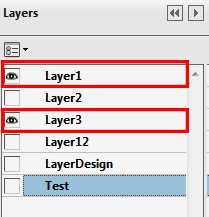
Proceed as follows:
- Select the Rename Layer Action.
- Under Attributes for Rename layer, configure the source and target layer as follows:
- From: Layer([13])
- To: VisibleLayer$1
- Select the Use regular expessions checkbox.
- Click OK.
- Run the Action List.
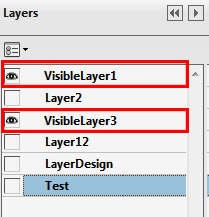
Result: