Belongs to
- Category: Add; Page
- Type: Changes
What it does
Allows you to insert either empty pages or pages from a particular PDF file.
You can choose the number of pages to add, the location of the new pages in the PDF ...
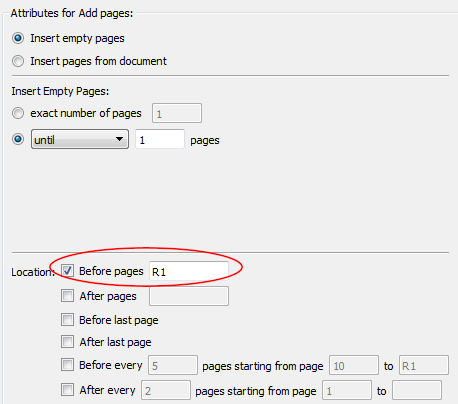
Note: New in 13 update 1. If you want to add pages starting from the end of the PDF,
you can use the "R[number]" notation in the Before pages/After
pages text box. R1 refers to the last page (= 1 page from the
end), R2 refers to the last but one (= 2 pages from the end), ... The last two
options were added in PitStop 13 update 2 and allow you for example to add a
backup interleave page to every page in the PDF.