Belongs to
- Category: Line Art
- Type: Changes
- Since version: 2018
What it does
Performs a hard crop on line art.
This is useful to remove redundant data, for example content that is masked away. This reduces the complexity and makes the file faster to process and easier to edit. Note that PitStop 2018 comes with a standard Action List "Clean Up Content" that makes use of this Action.
There are three ways to crop line art:
- Crop line art to clip mask Allows you to "execute" clipping masks on line art: the objects are cropped to their clipping mask, while the clipping path itself and anything that was clipped away is removed, without causing any visual difference. During this process, strokes are contourized (converted to fill paths). As a consequence, 'redundant' (because invisible) line art is removed, which reduces the file size and speeds up the rendering and processing of your artwork files.
- Crop line art to the page box of your choice: Removes all line art outside the specified page box.
- Crop line art to forms: Removes all line art outside the form (if applicable).
In case of knockout behavior, there are two methods to crop the line art:
- Placing the stroke and fill objects in a knockout group This method puts everything in a form. This may be undesirable; if so, you can select the second option.
- Clipping the fill object by the stroke object This method works in a different way, by cutting away the stroked object. No forms/knockout groups are created. Note that exceptionally small hairlines may be visible (depending on the renderer used).
In most cases, there will be no visual difference between both methods.
Example 1
 |
Clipped image. There is no visual difference before and after cropping/running the Action. |
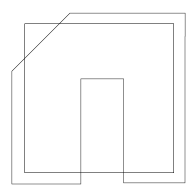 |
Clipped image in wireframe mode BEFORE cropping/running the Action. |
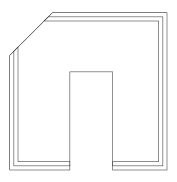 |
Clipped image in wireframe mode AFTER cropping/running the Action. |
Example 2
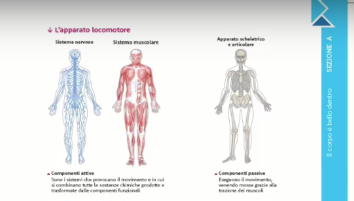 |
How the page looks. There is no visual difference before and after cropping/running the Action. |
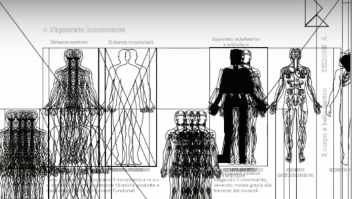 |
Page in wireframe mode BEFORE cropping/running the Action. |
 |
Page in wireframe mode AFTER cropping/running the Action. |
Want to know more?
There is a nice movie explaining this Action. Check it out on our learning platform (www.enfocus.com/learn): PitStop 2018 features.