Belongs to
- Category: Page
What it does
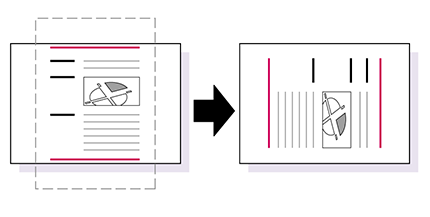
Rotates the page content by a given number of degrees, and relative to a given page box.
Note: You can also use Adobe Acrobat’s standard functionality to rotate one or more pages in your
PDF document. However, both the page and the content will be rotated in that case.
Figure 1. Rotate the content but keep the page orientation
Example
You can use this Global Change if you have changed the crop or media box first and may then wish to rotate the content to fit onto the “page” again.