Belongs to
- Category: Page
What it does
Scales the page boxes and possibly the page content with a specified percentage using a point of a page box as anchor point.
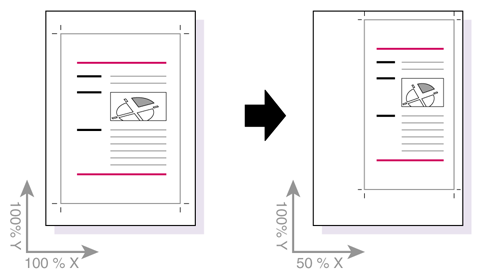
Figure 1. Scale the page content and move it to the upper left
corner of the crop box
Example
You can use this Global Change to make the page content narrower or larger.
How to proceed
- Select Scale: Page boxes and/or Page content.
- Enter the percentage by which the page box should be scaled:
- A value for width (X), and
- A value for height (Y).
- Determine the anchor point, for example: Anchored at the upper left of the crop box (as in the image above).