Belongs to
- Category: Page
What it does
Scales the page boxes and possibly page content in order to fit the specified page size, optionally preserving proportions.
Example
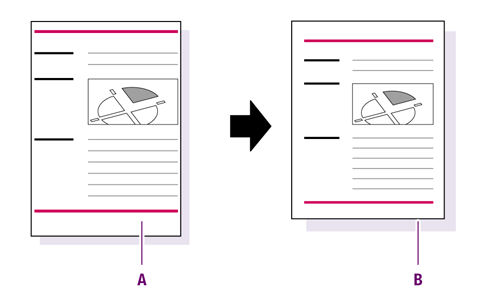
You can use this Global Change to scale the page boxes and the page content of a A4-size PDF document (210 x 297 mm) to fit the US Letter page size (8.5 x 11").
Figure 1. Scale the entire page and the page content from A4 size
(A) to US Letter (B).
How to proceed
- Do one of the following:
- If you want to scale both page content and page boxes, select Also scale page content.
- If you want to scale the page boxes only, select Anchor page content to the <position> of the <page box> and select the preferred options, e.g. anchor page content to the upper right of the media box.
- Determine which page box should match the target size.
- Select the target page size, for example A4, US Letter or Custom (if you want to determine width and height yourself). The corresponding dimensions are displayed below.
- Indicate if non-proportional scaling is allowed:
- Not allowed
- Only allowed for page boxes
- AllowedNote: Usually, page content is scaled proportionally (to avoid distortion of text and objects), whereas the page boxes must be scaled non-proportionally to fit a different page format. This is the case because the proportions (width to height) of e.g. an A4 page are different from those of a US Letter.