Allows you to check if the document contains black text that is not set to overprint.
Text —especially fine text or text set at a small point size— on colored backgrounds is extremely difficult to print in register. The slightest misregistration can become noticeable as small gaps can appear between the text and the underlying colored elements.
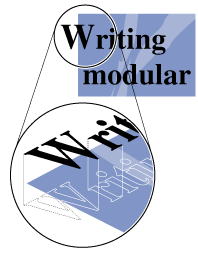
To avoid this problem, black text is set to print on top of any colored backgrounds. This technique is known as overprinting, and it preserves the legibility of the text. Overprinting black text compensates for misregistration.
Note: You can specify overprinting only for 100% black text because printing text of any color
other than solid black over any other colored background might cause the overlapping inks to
blend, which could produce undesirable colors.
Possible fixes
Automatically set all 100% black text to overprint.