Allows you to check the document for white text that is not set to knock out the underlying separations.
If your document contains white text, you have to make sure that the colors behind the text are not printed. If these underlying colors were to be printed, even the slightest misregistration of the color plates might result in deformed white text characters.
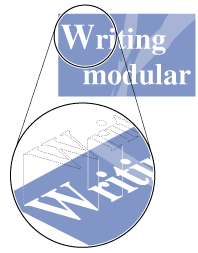
This is called knockout printing: the white text should cut out (“knockout”) the colors on any underlying separations.
Possible fixes
Automatically set all 100% white text to knock out the underlying colors.