Flow element types
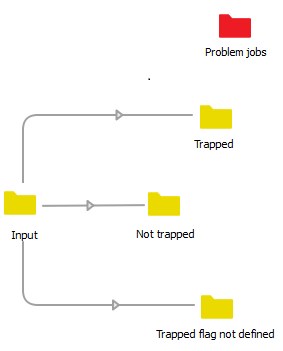
- The Connection flow element is a special type, connecting other flow elements and determining how jobs (i.e. files and file folders) can move from one flow element to another.
- The Folder flow element can be used to deliver input files and to store the processed files, but it is also used to (temporarily) store or modify jobs in between processes.
- Various other flow elements allow you to handle jobs.
For more information about the flow elements, refer to About working with Switch.
Search field
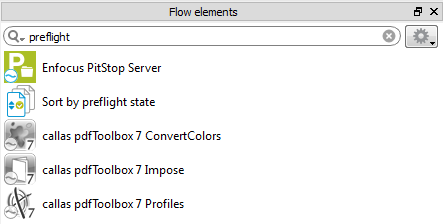
To find the flow element you need, you can use the Search field at the top of the Flow elements pane.
Just enter a keyword, and the associated flow elements will be shown. For example, if you enter the word preflight, you will see all flow elements that can be used to preflight jobs (Enfocus PitStop Server, callas pdf Toolbox configurators) or to deal with preflighted jobs (Sort by preflight state).
Tooltips
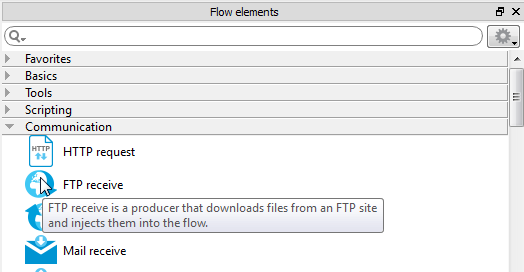
Switch provides you with tooltips for every field or element in the GUI.
So, if you are not sure about the meaning of a flow element, move your cursor over it and a tooltip will appear.
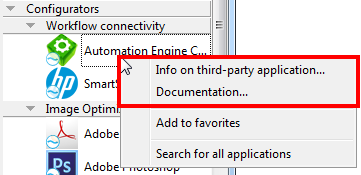
Furthermore, to learn more about the Configurators and what they are used for, you can right-click the Configurator and select Info on third-party application or Documentation.
Problem jobs

The Problem jobs folder element is a special element that keeps track of jobs that cannot be processed. This is the case if a job matches none of the filters set on a Connection, if an invalid file format is sent to a third party application configurator, and so on.
Always add this element to your flow; otherwise you may not be aware of the fact that there are problems with your flow...