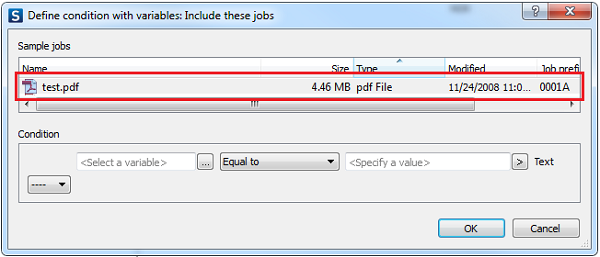
Sample jobs are trial jobs.
Sample jobs are also useful to check what's going on at each step of the flow.
How does it work?
Once you have designed a flow, you must set one of the connections, before the end of the flow, on hold. When you activate the flow and input a job to the flow, the job will remain in the folder just before the “on hold” connection, and you will see it appear in the Jobs pane.
Prefixes can be stripped at the moment the job reaches the flow output folder (i.e. folder without any outgoing connections). When the prefix is stripped, the job is considered processed and Switch has no control over this job anymore.
Example
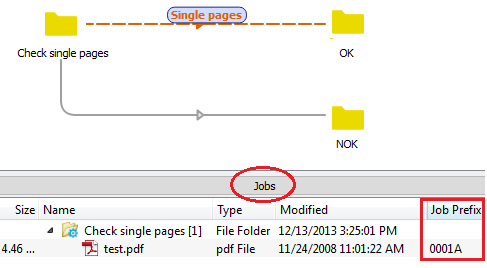
In the above example, the Check single pages folder element contains 1 file (test.pdf with prefix 0001A).
When you now open an editor that supports variables (e.g. if you are selecting the Connection
property Include these jobs), you will see that the sample jobs are
available in the dialog, and can be used to define conditions for sorting the incoming
files.