If you have designed a flow with many flow elements, it is important to keep it clear
and well-arranged. Switch provides you with a number of tools to do this:
- You can align your flow elements (place them all on one line, horizontally or vertically).
- You can adjust the layout of the connections.
- You can change the color of the connections and folders, for example to distinguish between local and network folders.
Tip: For a better overview, we recommend using meaningful names for flow elements
and connections.
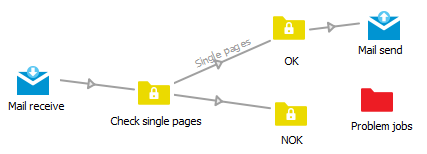
Example:
Before: Disorganized and sloppy...
After: A neat and well-arranged layout:
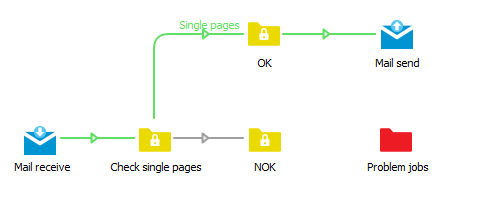
In the above example, the green color is used to indicate how the files should move if nothing goes wrong.