In case of problems, have a look at the following panes.
The Log messages overview
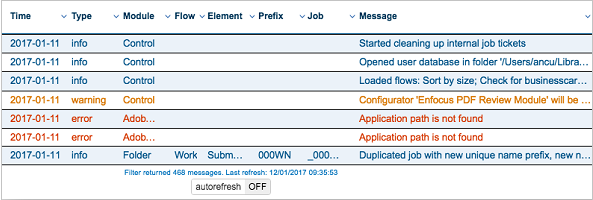
The Log messages overview is actually not a pane, but a web page. It gives an overview of all messages issued by the Switch Server. There are different types of messages, e.g. info messages, warning messages and error messages. Warnings are shown in orange and errors in red.
You can customize the overview as required. You can for example only show the messages that are relevant to you, or you can sort the list based on a particular column. To see the filter and sort options, simply click the column headers.
How to display the Log messages overview?
- Click
 , or
, or - Click .
The Progress pane
This pane displays progress information for tasks currently being executed by the Switch Server, for example downloading files from FTP or distilling a PostScript file.

How to display this pane?
From the menu, select .
The Dashboard pane
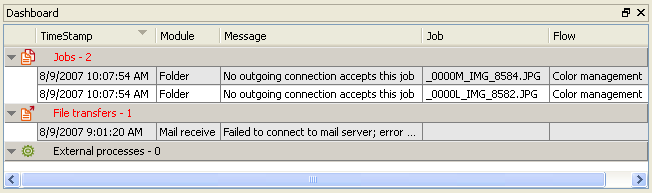
The Dashboard pane displays an overview of current problems with the flow (opposed to the
Messages pane, which gives an overview of problems in the past).
How to display this pane?
From the menu, select .