-
Using the Select Objects
 or Select Similar Objects tool
  , click the text or line-art
objects of which you want to change the color.
, click the text or line-art
objects of which you want to change the color.
You may want to use the Select Similar Objects tool
to select all the text or line-art
objects on the page which have the same color. -
Choose or
click the Show Inspector button
 to display the Enfocus Inspector.
 -
Click the Fill and Stroke category
and make sure Fill or Stroke are
selected.
The Enfocus Inspector displays the current color settings of the selected objects.
-
To change the color of the selected
text or line-art objects, click the Fill Color or Stroke Color category
and do one of the following:
- To change the color within the same color space (for example CMYK), move the slider of the respective color to the left or to the right or type a percentage in the text box.
-
To change the color to another
color space (Gray, RGB, CMYK, spot color), click the respective
option in the fly-out menu, and, if necessary, move the sliders
to the left or to the right or type the percentage in the text box.
Note: Converting a color in the Enfocus Inspector is done using the color profiles defined in the Preferences. Converting a color based on specific color profiles can be done in the Color Convert window. See the PitStop Pro Reference Guide for more information
- To change the color to a spot color, click Convert to Spot Color from the fly-out menu. In the Color Picker, select a color library and a spot color, and then click OK.
- To use a color from the User Swatches, click Color Picker from the fly-out menu. Select a color from the user swatches and click OK.
If necessary, you can now specify the fill and/or stroke attributes of the selected objects.
- Click the Fill/Stroke category.
-
In the Stroke subcategory, specify
the stroke attributes:
- Specify the Stroke weight.
- Select a Cap style and a Join style.
Cap style
Join style
Icon
Meaning
Icon
Meaning

Butt cap

Miter join

Round cap

Round join

Projecting cap

Bevel join
- If you have selected a miter join style
, set the Miter Limit.
- In the Stroke Adjustment dropdown menu, select On
option to enable it. Choose the Default option to set it to automatic stroke
adjustment. Choose Off option to disable stroke adjustment.Note:
With stroke adjustment, all vertical and horizontal lines can be rounded to an integer number of pixel thickness to give them the appearance of the same weight.
When several strokes with the same line weight are rendered at low resolution, their rasterization may result in lines of different widths in device pixels (with a difference of one pixel at the most). This effect depends on how the exact position in real numbers of these strokes intersects with the device pixel grid. For a better visual result, automatic stroke adjustment can be enabled. This will counteract the rasterization effects, by slightly changing the line weight and coordinates, thus producing lines of uniform thickness in device pixels. - If you want to make the line dashed, click
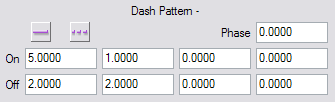
the Dashed Line button
 , and then specify the length
of the dashes in the On boxes
and the gaps between them in the Off boxes.
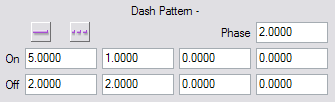
If necessary, move the dashes by specifying a Phase.
, and then specify the length
of the dashes in the On boxes
and the gaps between them in the Off boxes.
If necessary, move the dashes by specifying a Phase.
- If you have chosen to fill a polygon or loop, select Fill or EOfill.