There are several PitStop Pro tools which you can use to select text or a text segment in your PDF document. A text segment can be:
- A line of text
- A word
- A single character
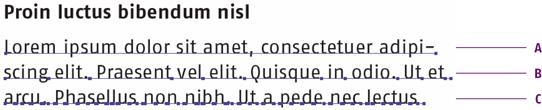
The way in which you select the text or a text segment often depends on what you want to do with the selected text. You will typically:
- Select text if you want to change the text itself
- Select a text segment if you want to move the text segment on the page or change the font properties (font size, font family, font style, word or character spacing)
You may want: