To tag or untag text or line art with an ICC profile
-
Using the Select Objects
tool
 ,
select the text or line art of which you want to check whether it has an ICC
profile.
-
Choose or click the Show
Inspector button
 to display the Enfocus Inspector.
-
Click the Fill and Stroke category, and
then the Fill Color or
Stroke Color
subcategory.
-
Do one of the following:
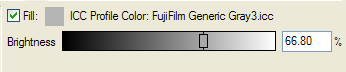
- Select a profile from the list. The text or line art
is tagged with the selected profile and the name of the ICC profile
appears above the color sliders.
Figure 1. ICC name of a tagged object
- Select (None) to remove the ICC profile from the selected text
or line art.