The Global Changes dialog allows you to edit, organize, and run Global
Changes:
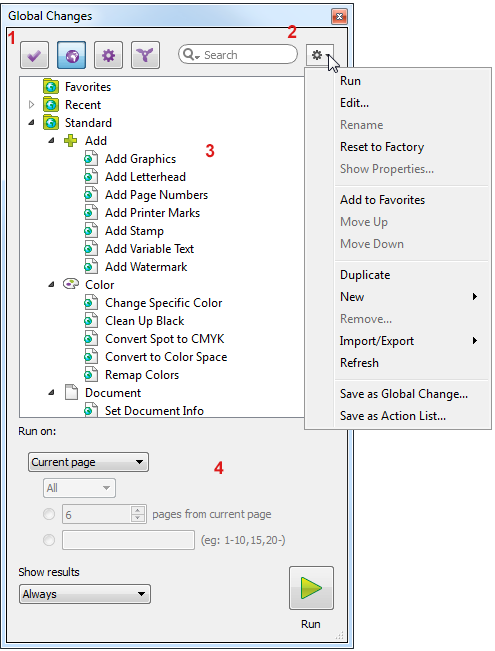
The Global Changes dialog consists of the following screen parts:
- You can open a Global Change, to check what it is doing, or to edit the content.
- You can import, export, duplicate, and group Global Changes as required.
- You can run Global Changes, i.e. apply them to one or more pages of the PDF you're editing.
The Global Changes dialog consists of the following screen parts:
 ) and other "presets" (Preflight Profiles
  , Action Lists
 , and QuickRuns
  ).
). (allowing you
to organize the Global Changes).
(allowing you
to organize the Global Changes).