Starting a Certified PDF workflow for a PDF document means that you ‘stamp’ the document: You provide it with the information necessary to enjoy the benefits of the Certified PDF workflow for that particular PDF document. As soon as you have started a Certified PDF workflow for a document, any change made to the document will be “recorded” per editing session and can be traced in the Edit Log.
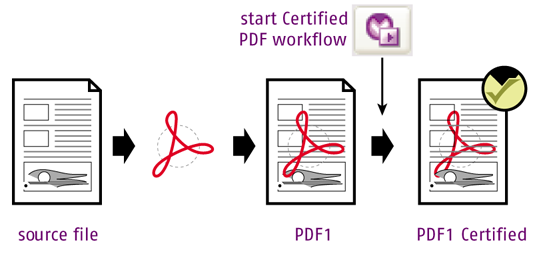
To start a Certified PDF workflow
-
Open the PDF document for which
you want to start a Certified PDF workflow.
Note: Make sure all changes in the PDF are saved before you start the Certified PDF workflow. Otherwise, the first Certified PDF session would contain changes that are not included in the Edit Log.
-
Do one of the following:
- Choose .
- Open the Certified PDF panel (in the Tools pane) and click
 . This will open the Enfocus Certified PDF
Panel. Next, click the Start
Edit Log button.
. This will open the Enfocus Certified PDF
Panel. Next, click the Start
Edit Log button.
The Certified PDF workflow has now been started for this PDF document.
-
If you want to use the Preflight options of Certified PDF, select a Preflight
Profile.
Refer to The Enfocus Certified PDF Panel.
Preflighting is optional. You can as well only use Certified PDF to keep track of changes made in the PDF.
- If you want to, you can add a reference to the original document the PDF is based on (e.g. artwork, a Microsoft Office document,...). Refer to The Enfocus Certified PDF Panel.
-
Click
 to close the Enfocus Certified PDF Panel.
- Make the required changes to your document (if any).
-
Save the PDF.
Saving the PDF ends an "editing session" (as recorded in the Edit Log file).Note: Choose the appropriate save option, depending on whether or not you want to save snapshots of your PDF. Refer to Save options.
Now that the PDF is in a Certified workflow, next time when you open the document
and make changes, these changes are recorded automatically.