Proceed as follows:
-
Using the Select Objects
tool
 ,
select the text or line art of which you want to check whether it has an ICC
profile.
,
select the text or line art of which you want to check whether it has an ICC
profile.
-
In the PitStop Inspect panel (under Tools), click
the Show Inspector
button
 .
.
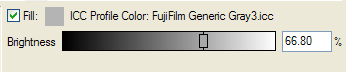
- Click the Fill and Stroke category, and then the Fill Color or Stroke Color subcategory.
- Do one of the following: