To create a workspace from scratch
- Open the Enfocus Workspace Panel. Refer to Opening the Enfocus Workspace Panel.
-
Right-click somewhere in this panel and choose
.
This opens the Enfocus Workspace Editor.
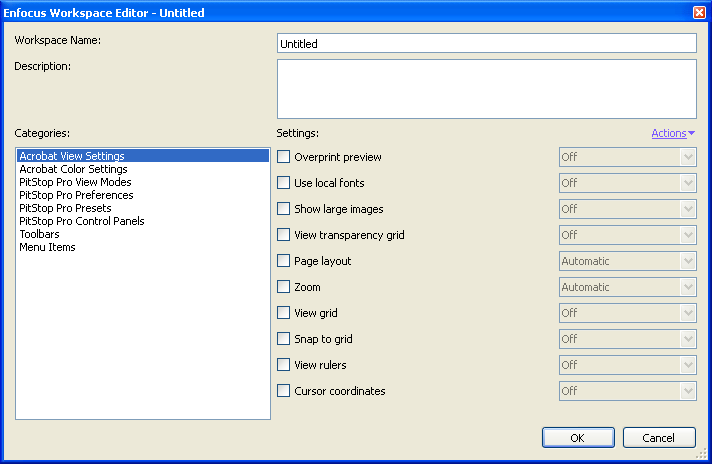
- Enter a meaningful Workspace Name.
-
For each of the Categories, choose the Settings you want to use and
their values.
For more information about the settings, refer to the topics under Workspace settings.
Note: You can also grab settings from your current Acrobat / PitStop Pro interface and use them in your workspace:- Click the Actions menu and select Grab All Categories to grab all the current settings for your workspace.
- Select a category, click the Actions menu and select Grab Current Category to grab the current settings related to this category (for example, all Acrobat View settings).
-
When you are done, click OK.
Your new workspace is saved as a Local workspace.