About the job
Suppose you have an A4-size PDF document (210 x 297 mm) and you need to scale the page boxes and the page content to fit the US Letter page size (8.5 x 11"). While scaling, you will probably need to:
- Scale the page content proportionally to prevent distortion of text and other objects
- Scale the page boxes non-proportionally, because the proportions (width to height) of an A4 page are different from those of the US Letter format
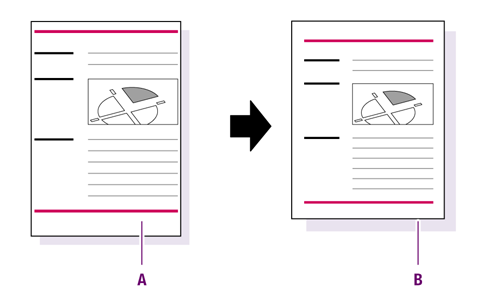
Scale the entire page and the page content from A4 size (A) to US Letter (B).
Automating the job using a Global Change
PitStop Pro provides a Global Change called
Scale to Format, which helps you perform these tasks.
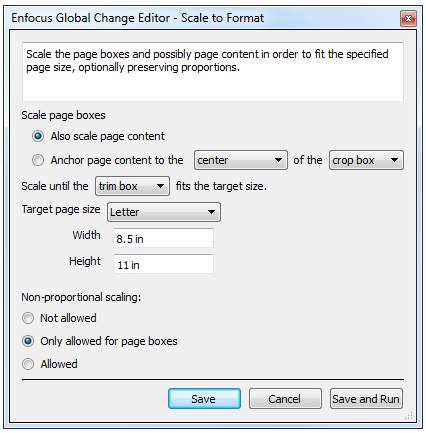
You must only set the appropriate options:
You must only set the appropriate options:
- Make sure to select Also scale the page content.
- Select the preferred page box, in this example the trim box (Scale until the trim box fits the target size).
- Select the preferred target page size, in this example Letter. The corresponding width and height are shown below.
- Make sure to restrict non-proportional scaling to page boxes only (Non-proportional scaling: Only allowed for page boxes).