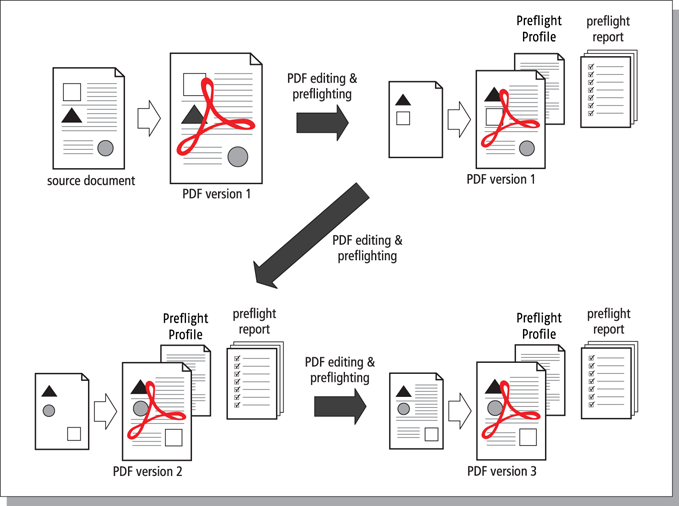
Incremental save, snapshots and roll-back mechanism
A Certified PDF document can “remember” all the changes that were made during a given session and can store the information about these changes per session (“incrementally”) as you save your PDF document. Moreover, each time you save your PDF, a “snapshot” is saved, i.e. a view of the status of the PDF document at the time it was saved at the end of a session. This snapsnot cannot only be viewed; you can also save it as a separate document. This is called the roll-back mechanism. It allows you to revert to any previous stage in the Certified PDF workflow and to compare different versions of your PDF document, even though you maintain one physical PDF file.
If you edit and save a Certified PDF document, you may notice that its file size will increase. The reason is obvious: all the changes done in an editing session are stored in the Certified PDF document. So even if you perform actions which would normally reduce the size of your PDF file, such as removing objects or downsampling images, saving the PDF document will increase its file size. And this increase can become significant, depending on the types of actions and the number of editing sessions you do.
Optimized save
If file size is or becomes an issue, you can “optimize” your Certified PDF. You will still have a Certified PDF document with history information about previous editing sessions, but you will no longer be able to save snapshots of these sessions or use the roll-back mechanism to revert to a previous state of your Certified PDF document.
- and make sure the Keep snapshots checkbox is cleared!
- and make sure the Keep snapshots checkbox is cleared!