To select an object in your PDF document, you can use one of the two selection tools:
- The Select
Objects tool

- The Select Similar
Objects tool

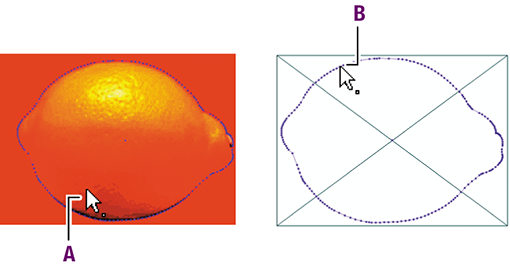
Preview versus wireframe view mode
The Select
Objects tool
works almost completely the same in preview mode and in wireframe view mode. The only
difference is that, in wireframe view mode, you can only select line-art and vector
images on their outlines.
-
Selecting an object in preview mode can be done by clicking anywhere on the object.
-
Selecting an object in wireframe view mode is possible only by clicking on the object’s outlines.