Using the Edit
Form tool  , do any of the following:
- Select the form or the content of the form as follows:
|
Click |
To |
|---|---|
|
Single-click |
Select the form only |
|
CTRL-click (Windows) or
|
Select the form and its content |
|
ALT-click |
Select the complete content, but not the form itself |
|
SHIFT+one of the above key combinations |
Select multiple forms and/or contents |
- To move the content within the form, click it, hold down the
CONTROL(CTRL) key (Windows) or Command(
 ) key (Macintosh) and drag it to the desired position.
 - To crop the content, click it, hold down the CONTROL(CTRL) key (Windows) or Command(
) key (Macintosh) and drag the content beyond the edges of the form. Alternatively,
you can leave the content “as is” and resize the form.
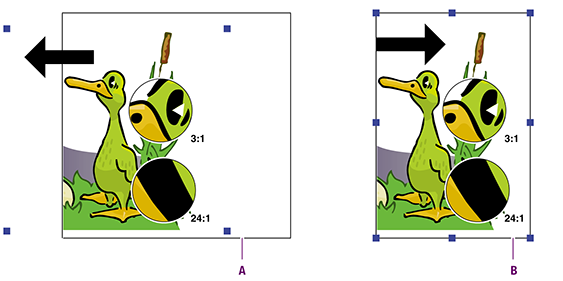
-
Cropping form content by dragging it beyond the edges of the form
-
Cropping form content by resizing the form
- To bring the content outside the form and put it on a different position on the page, cut and paste the content.