You can run an Action List or Preflight Profile to check and change
your PDF document. If you do so, you can view a report of these actions. The report
generated by PitStop Pro is also a
PDF document. It can include the following sections:
| Section | Content |
|---|---|
| Errors, Warnings & Fixes | (Potential) problems according to the selected Preflight Profile and changes which have been made in the PDF document |
| General File Information | Properties of the PDF document, such as PDF version, title, author, etc. and security information |
| Font Information | All fonts used in the PDF document, along with their attributes (type of font, embedded or subset, etc.) |
|
Image Information |
All images in the PDF document, along with additional information (for example physical and effective resolution, page, angle, custom color functions, etc.) |
| OPI Information | OPI usage in the PDF document |
| Color Information | All color spaces (RGB, CMYK, etc.) used in the PDF document, with additional information where required |
| Ink Information | CMYK ink coverage calculated for the whole document and for each page separately. |
| Layer Information | Properties of the layers that are present in the document. A clickable tree view shows the sequence of the layers. |
To have this information shown in a report, you need to select the appropriate checkboxes
in the Setup of your Preflight Profile. For example, if Layers is
selected, the report will contain a Layer Information section (see Defining the general properties of a Preflight Profile). 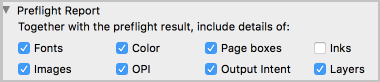
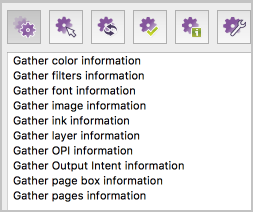
Note that you'll find the same information in your report, if you're using the
Gather (ink, layer,…) information Actions.