| Option/button | Description |
|---|---|
| Channel | Separation to which the curve will be applied. Example: The red channel of an RGB image. |
| Preview | Enabled: Displays a preview of the changes on the PDF document. Tip: Zoom in to speed up the preview display.
Remark: As this preview is rendered at a lower resolution than the original image (to speed up the display), there may be some quality loss (e.g. text being less sharp). However, this does not affect the colors. |
 |
Resets the curve. |
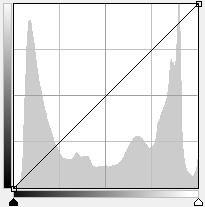 |
You can:
|
| Input - Output | Adjusts a specified input to a specified output brightness value. The curve adjusts correspondingly. |
| Apply | Applies your changes to the selected images. |