The following mask viewing modes allow for a better understanding of the construction of the selected soft mask.
| Mask viewing mode | Meaning + Example |
|---|---|
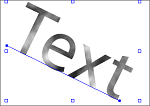
Show masked objects |
Default view: the mask as it is displayed in the PDF.
|
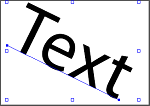
Disable masks |
Image without mask applied.
|
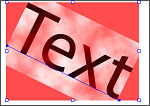
Show mask overlays |
The masking image shown as a semitransparent red overlay (so you can see what is underneath).
|
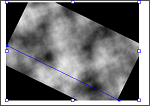
Show masking objects |
Only the masking object is shown (in black-and-white)
|