Changing a color

To change a color

  1. Double-click a color patch.
  2. Click anywhere in the color wheel.
  3. If necessary, drag the sliders at the right of the color wheel to change the Hue, Saturation or Brightness of the color.
  4. Once you have defined the color you want, click OK.
    You can define the colors for the following:
    Color for Example
    Wireframe object



    Selected object



    Selected form object
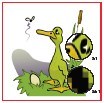


    Selected clipping mask
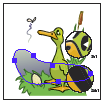


    Paragraph editing


    Page boxes


    Navigator dim color