Using the Edit Log of Certified PDF documents, you can view the changes in your Certified PDF document highlighted:
- A particular change of an active editing session will be shown in a primary highlight color.
- Other changes on the page, if any, will be shown in a secondary highlight color.
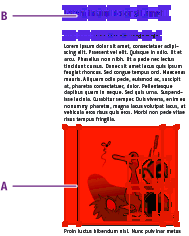
- Specific change of an active editing session in the primary highlight color

- Other changes on the page in the secondary highlight color

Proceed as follows to change the primary or secondary highlight color: