Creating a workspace

To create a workspace from scratch

  1. Open the Enfocus Workspace Panel.
  2. Right-click somewhere in this panel and choose New > New....

    This opens the Enfocus Workspace Editor.
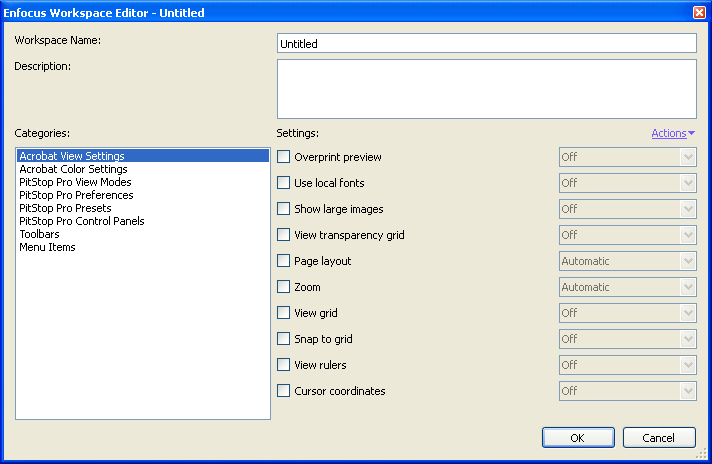


  3. Enter a meaningful Workspace Name.
  4. For each of the Categories, choose the Settings you want to use and their values.

    For more information about the settings, refer to the topics under Workspace settings.

    Note: You can also grab settings from your current Acrobat / PitStop Pro interface and use them in your workspace:
    • Click the Actions menu and select Grab All Categories to grab all the current settings for your workspace.
    • Select a category, click the Actions menu and select Grab Current Category to grab the current settings related to this category (for example, all Acrobat View settings).
  5. When you are done, click OK.

    Your new workspace is saved as a Local workspace.