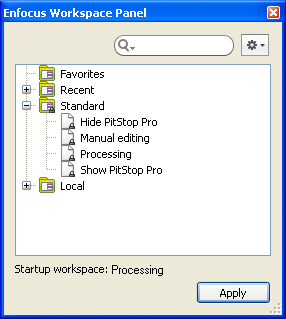
To use a workspace by default next time you start Acrobat Professional:
-
Click the Action button
 and choose Apply selected workspace at
startup.
and choose Apply selected workspace at
startup.
You can see the workspace you selected at the bottom of the panel. In this example, the selected workspace is: "Processing".