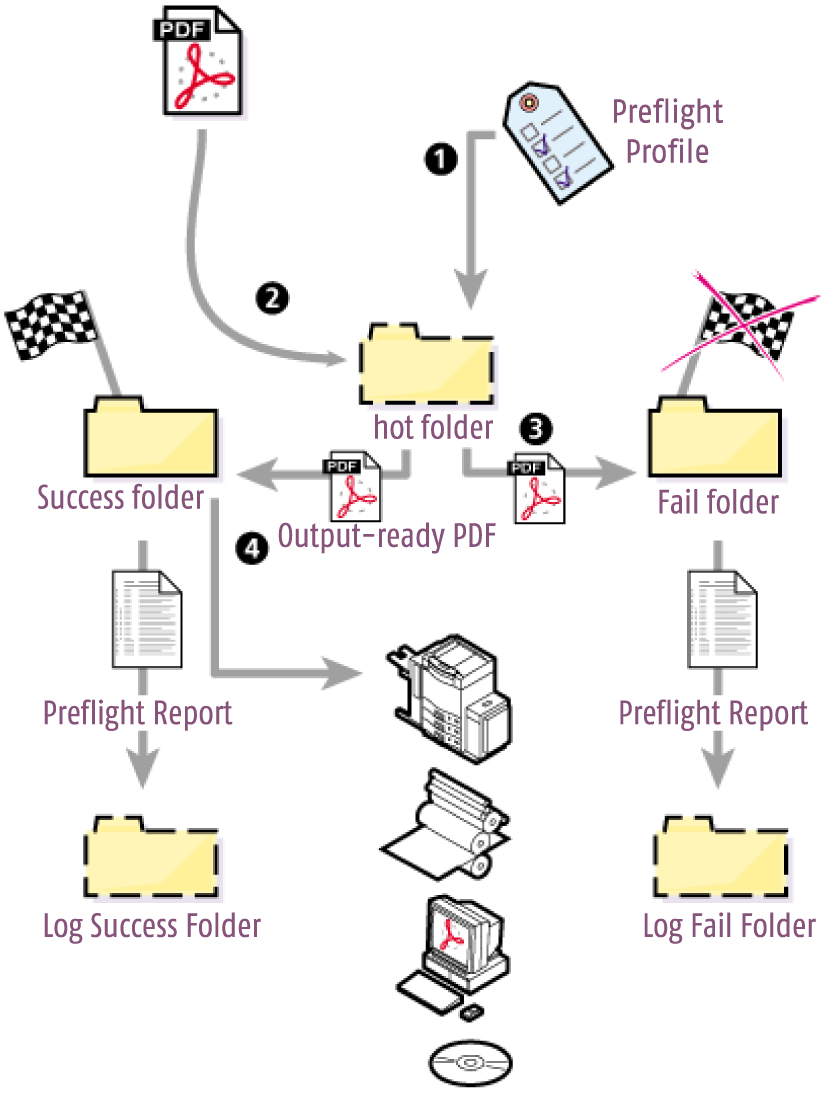
How exactly does preflighting work in Enfocus PitStop Server? The typical stages in a preflight check are the following:
- Create, edit or import a Preflight Profile via the Action List And Preflight Profile Panel. You can import Preflight Profiles in your Hot Folder "From database" or "From File".
- Place PDF documents in the input folder to have them checked and fixed automatically.
- Enfocus PitStop Server checks the PDF documents and depending on your preflight profile fixes problems, if any. It generates a preflight report and saves the report in a log folder.
- If necessary, re-check the PDF document until it is output-ready and can be taken to the final output stage, e.g., for print, press or online viewing.