The illustration below shows a typical set-up of a hot folder and its workflow.
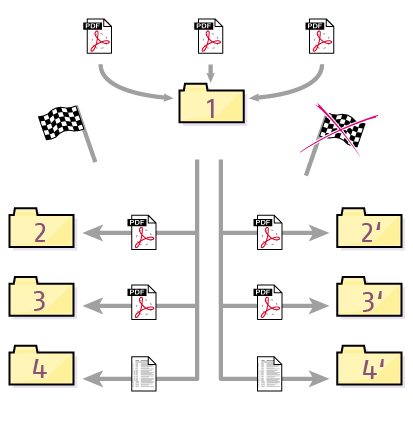
- Enfocus PitStop Server detects incoming PDF documents in the input file folder and processes them automatically.
- Enfocus PitStop Server places the original PDF documents in a separate folder, depending on the result after processing: folder 2 if processing was successful or folder 2’ if processing of the PDF document returned errors.
- Enfocus PitStop Server places successfully processed PDF documents in a dedicated folder (3) but also saves the PDF documents with errors (3’).
- Enfocus PitStop Server generates a preflight report and saves it in the respective folder.