- Navigate to in the Enfocus PitStop Server to open the Action List Panel.
- In the Action List Panel, select the Action List you wish to export.
-
Click Export in the Action menu or the contextual
menu for the Action List.
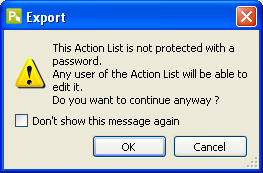
Note: If the Action List is not secured with a password, the following message will appear:
- Specify the Action List’s file name and location.
- Click Save button.