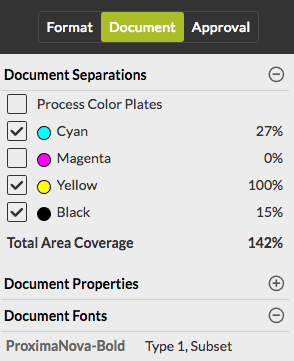
To view the properties document properties, and the fonts and separations used in the document
- In the right part of the screen, click the Document tab. There are three categories: Document separations, Document properties and Document Fonts. They may be collapsed.
-
Click the
 button to expand the collapsed sections as required.
You can use the
button to expand the collapsed sections as required.
You can use the  button to collapse a section.
-
To display a particular separation, click the checkbox beside the separation
concerned.
- Process Color Plates and Spot Color Plates are grouped.
- If only one separation is selected, it is shown in black.
- To get information about the ink coverage of a certain area, move your cursor over that area in the document. The total area coverage is mentioned and the ink coverage of each color is indicated next to the color plate.