When creating a new Action List or editing
an existing one, the Enfocus Action List Editor opens.
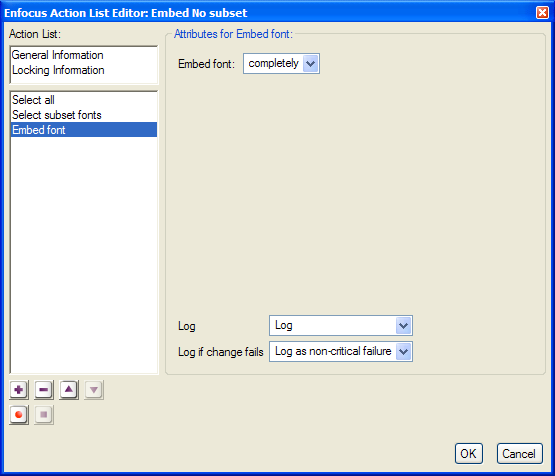
The Action List Editor contains
General information and Locking Information
A list of actions at the left side
The Attributes for the selected Action or the General Information or Locking Information when selected
- The buttons at the bottom left:

Add an action to the Action List

Remove the selected action from the Action List

Move the selected action up in the Action List

Move the selected action down in the Action List

Start recording. See To create an Action List by recording

Stop recording. See To create an Action List by recording