The folders pane serves to browse folders (not files) in the local file system and allows dragging backing folders to the canvas.
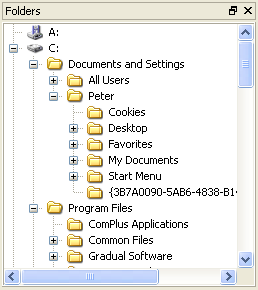
You can use the folders pane to:
View folders in the file system that is reachable from the computer on which Switch is running.
Add a folder to a flow by dragging it from the folders pane onto the canvas.
Change the backing folder for an existing flow element by dragging a folder from the folders pane onto the flow element.
Open a folder in the files pane by selecting it in the folders pane and choosing the "Show in files pane" context menu item.
The folders pane automatically updates to reflect changes in the folder structure on disk after a certain delay. Choose the "Refresh" context menu item to update the folders pane right away.