The messages pane shows the log messages issued by Switch and by the various processes controlled by Switch.
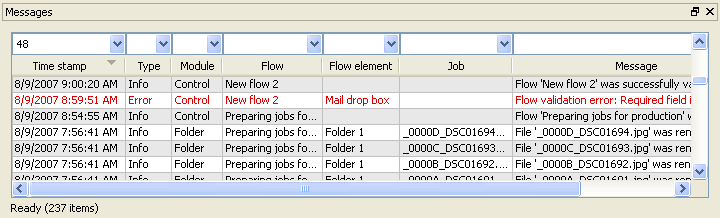
New messages are continuously added to the list while Switch is operating. Warning and error messages are shown in color.
Type search strings in the filter fields at the top of the message pane to select the subset of messages to be displayed. Messages can be sorted in different ways by clicking on the column headers. Columns can be reordered and resized by dragging.
For more information see Viewing log messages.
Multiple messages panes
You can show up to three messages panes at the same time (called "Messages", "Messages 2" and "Messages 3"). Each pane remembers its own settings for filtering and sorting messages. For example, you could setup three message panes respectively displaying:
All messages
All messages related to FTP
All error messages.