A checkpoint can be configured to allow replacing a job with a new version (presumably edited on the client user's computer) before moving it out of the checkpoint. The original job (as it resided in the checkpoint to begin with) is lost, but its metadata is preserved.
Initiating replacement
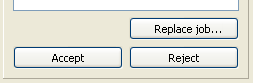
When you select a job in a checkpoint that allows replacement, the rightmost section of the SwitchClient window offers an extra button called "Replace job". When you press this button (rather than one of the regular buttons to handle the job) SwitchClient displays the replace job dialog, which guides you through the replacement process.