- Double-click the language pack installer to launch it
-
Follow the steps presented to
you by the installer.
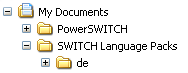
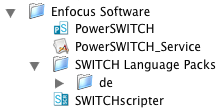
The language pack installers assume that the corresponding Switch application was installed in the default location. If you installed the application in a different location, you must intervene manually to install the language pack in that location as well (i.e. next to the application), in a folder called "Switch Language Packs"
Windows:
Mac