| Language |
Language to be used for the SwitchClient interface. Choices are:
- English
- German
- French
- Chinese
- Japanese
Changes take effect only after re-launching SwitchClient. Note: Make sure
that SwitchClient is closed and not still running in the background. To do so,
click .
|
| Launch at system startup |
- If set to Yes, SwitchClient is automatically launched
when the system is started.
- If set to No, you must start SwitchClient manually
(e.g. by clicking the application icon).
|
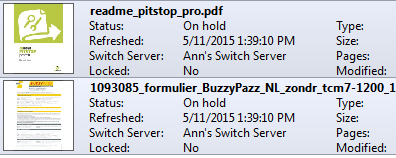
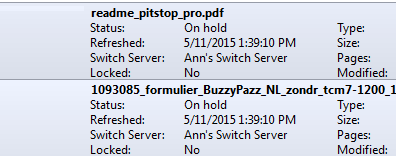
| Display thumbnail images |
- If set to Yes, thumbnail images of job cards are
visualized in the job list (Job cards view).
- If set to No, there are no thumbnail images in the
job list (Job cards view).
|