By default, Switch moves incoming jobs out of the input folder when injecting them into a flow. Therefore, Switch needs full access rights to rename, create and remove files and folders in the input folder.
However, a number of key flow elements (Folder (user-managed
input), Submit hierarchy, FTP receive and Mail receive) also support a
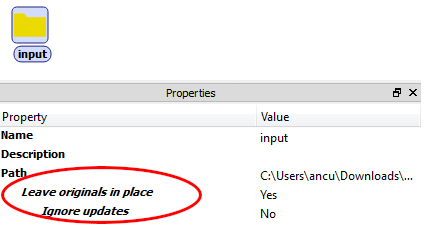
read-only mode, activated by setting the Leave originals in
place property for the flow element to Yes. In that case,
Switch does not write anything to the input folder, so read-only access rights
suffice.
Ignore updates
Leave originals in place has "Ignore updates" as subordinate option.
If Ignore Updates is set to Yes, Switch processes a job only once, ignoring any changes to the job's file size or modification date after it was initially processed. This can be used in workflows where Switch replaces the input job by a processing result, without triggering an endless loop.
If set to No, Switch will reprocess a job when its file size or modification date changes. This can be useful when submitting a job with the same name of a previously submitted job. In this case, Switch will use the list of already processed jobs (see below).
How it works
For each flow element operating in read-only mode, Switch maintains a list of all files/ folders in the input folder that were already processed (i.e. actually injected in the flow or skipped due to filters).
Switch automatically updates the list at regular intervals as follows:
Items that are updated or replaced in the input folder are reprocessed if "Ignore Updates" is set to "No"; changes are detected by looking at the byte count and at the most recent of creation date and modification date.
Items that disappear from the input folder are removed from the list (to keep its size down).
Reprocessing originals
The user can manually clear the list of jobs already processed as follows:
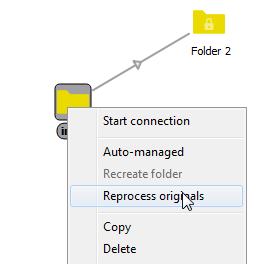
Choose the Reprocess originals context menu for the relevant flow element. This causes all remaining original items to be reprocessed when the flow is next activated.
Certain flow design changes (e.g. set Leave originals in place to No; change backing folder) automatically clear the list when the flow is next activated.