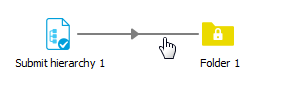
After adding a new flow element to the canvas, the flow element may display an
alert icon ( ) indicating a problem with the flow design.
This usually refers to missing connections, since many flow elements require at least one incoming and/or outgoing connection. For more information, hover your cursor over the icon to display a tooltip.
Example:
After adding a "Submit hierarchy" and a "Folder" the flow design looks as follows:
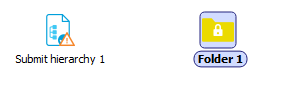
The tooltip for the Submit hierarchy 1 element states: The flow element requires at least one outgoing connection.
After adding a Connection element, the warning will be gone.