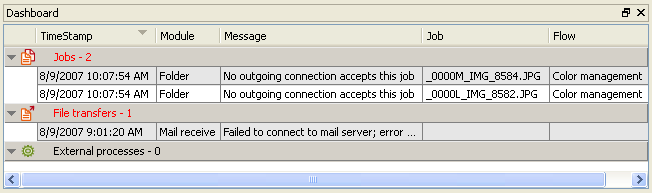
The Dashboard pane (displayed by clicking ) displays an overview of current flow execution problems at any given time. This is in contrast with the Messages overview, which provides an audit trail of what happened in the past.
Furthermore, the Dashboard allows relevant actions to be taken for certain problem types, such as retrying a problem job.
Wrap text
To display long messages on multiple lines (i.e. "wrapped" rather than chopped off), choose the "Wrap text" menu item in the context menu of the Dashboard pane.