If you have licensed the Configurator Module, a number of additional processes can be performed, i.e. by third-party applications (Adobe Creative Suite, Adobe Acrobat Professional, Automation Engine… ) integrated in Switch. This is possible thanks to the configurator flow elements, which allow you to connect to these applications from within a Switch flow.
Configurators are available in the Configurators category of the Flow elements pane, and must be dropped onto the canvas, just like the other flow elements.
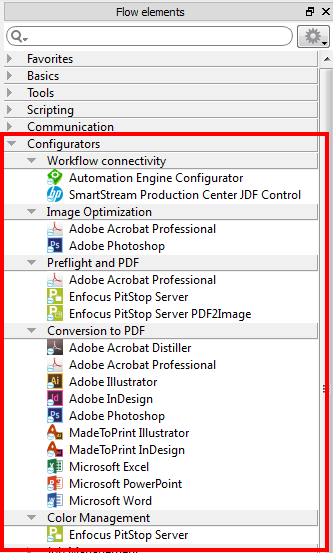
 in the upper right corner of the pane).
 How it works
Configurators allow you to send files to 3rd applications from within a Switch workflow. The sent files are processed by this application, and once processed, they are returned to Switch, so that Switch can further process the resulting files as required.
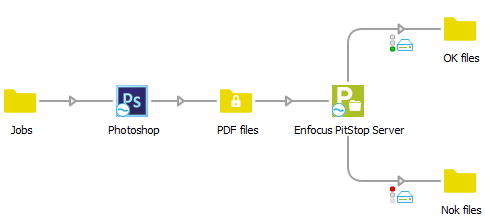
In the example below, the input files are first sent to Photoshop for converting the images to PDF; afterwards the resulting PDFs are sent to PitStop Server to be preflighted. The result of the preflight (OK or not OK) is used to sort the output files.