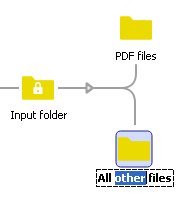
All flow elements (including the Connection flow element) offer at least one property: the name of the flow element as displayed in the canvas. When you add a new flow element, Switch provides it with a default name inspired by the flow element type. By default, a connection does not contain a name.
You can edit the Name property in the Properties pane, just like other properties (See Changing flow element properties), or you can edit the name directly on the canvas, as explained below.
To edit the name of a flow element directly on the canvas
- On the canvas, select the flow element. Ensure only one flow element is selected.
- Click the name of the flow element (on the canvas).
- Enter the new name or adjust the existing name.