If a connection is set on hold, no jobs can move through the connection, until the connection is released. The connection is displayed in the canvas as an orange dashed line.
To release a connection
- Select a connection in the canvas.
-
Do one of the
following
- Right-click the connection and select
Release.Note: This always works, even if the flow is active.
- In the Properties pane, set the value of
the Hold jobs property to
No.Note: This does not work if the flow is active.
For more information, refer to Examples of connections on hold.
The connection is displayed in the canvas as a continuous line. The color depends on the color set in the Color property of the connection (blue in the image below). The default color is gray.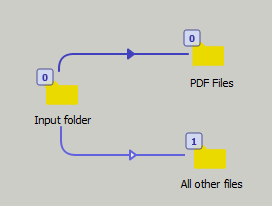
- Right-click the connection and select
Release.