Note: You can select multiple flow elements as required. However, a connection and
other flow elements cannot be combined in one selection.
To select flow elements
-
To select one flow element at a time, click the flow element in the
canvas.
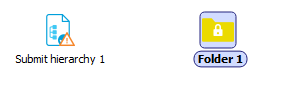
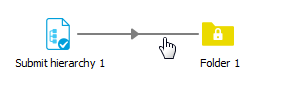
In the canvas, you can see which element is selected:
- Selected flow elements are surrounded by a gray rectangle.
- Selected connections have a darker color.
- To select multiple flow elements at the same time, do one of the following:
- Drag a selection rectangle around the flow elements in the canvas.
- Click a first flow element, and then expand the selection by clicking other flow elements, while holding down the Ctrl key (on Windows) or Command key (on Mac OS).
Example of a selected flow element and a selected connection.