What it does
Scales page content along the X and/or Y axis by a certain percentage.
Note: If you want to scale the page content proportionally, you need to specify the
same values for X and Y.
Example
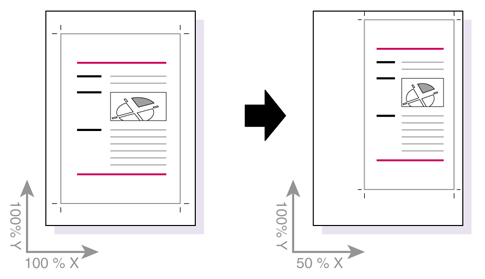
Suppose you have an A4-size PDF document (210 x 297 mm). You want to keep the page size
“as is”, but need to make the page content narrower. You also wish to move the page
content to the upper right corner of the crop box.
How to proceed
- Enter the preferred scaling percentage for the X and Y axis.
- Do one of the following:
- To define an anchor point, select Anchored at.
- To define the target position of the page contents, select Moving page content to.
- Define the anchor point or target position, for example (anchored at/moving to) the upper right of the crop box.