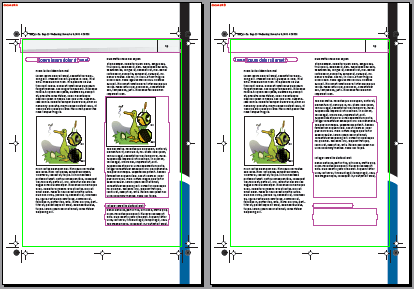
Comparing two versions of your PDF document visually is useful to see visible changes “at a glance”.
To compare sessions visually side by side
-
Click Visually
(side-by-side).
PitStop Pro generates two snapshots showing the state of the PDF document at the end of the respective sessions and presents these snapshots side by side on screen. The differences are highlighted.Note: You can change the color of the highlights in the Preferences ().