This function is only available if it has been enabled in the configuration and if the file has layers.
To view or hide the layers in a document
- Make sure the sidebar is displayed. See Viewing or hiding screen elements.
-
In the sidebar, click the Layers tab
 .
.
-
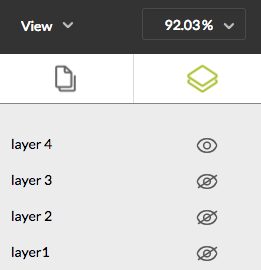
Click the eye icon to hide or display the layer(s) of your choice.
In the example below, the document has 4 layers of which only layer 4 is
visible.